 LoRA Dataset Studio
Importing, sorting and manual captioning need no GPU; auto-captioning takes about 8 GB of VRAM and local generation about 16 GB. LoRA training in LoRA Dataset Studio (LDS) needs 16 GB or more for Z-Image and SDXL, 16 to 24 GB for FLUX.2 Klein 4B (32 to 48 GB for 9B), 24 GB for Krea 2 at 1024 px and about 24 GB for FLUX.1 and Anima. Under 24 GB, train Krea 2 at 768 px only, or rent a GPU for the run.
| Task | NVIDIA VRAM | Notes |
|---|---|---|
| Import, sorting, curation, manual captions, export | None | About 2 GB of disk |
| Auto-captioning and framing (8B vision model) | About 8 GB | Takes turns with generation |
| Local generation (Klein through ComfyUI) | About 16 GB | About 30 GB of disk for the models |
| Training Z-Image | 16 GB or more | Quantization and low-VRAM loading on by default |
| Training SDXL | 16 GB or more | Trains without quantization by default; the panel estimates about 10 GB |
| Training FLUX.2 Klein | 4B: 16–24 GB, 9B: 32–48 GB | 9B is practical in the cloud |
| Training Krea 2 | 24 GB at 1024 px | Below 24 GB, select 768 only |
| Training FLUX.1 | About 24 GB | Local only |
| Training Anima | About 24 GB listed | 2B model, trains without quantization by default; the panel estimates about 10 GB |
| Training Qwen-Image 2.1 | Not measured in LDS | Cloud runs use 32 GB or more |
| Full-model Krea 2 training (experimental) | 80 GB | Cloud only |
Training also needs 10 GB or more of free disk per run, which LDS enforces, and 16 GB or more of system RAM is recommended; the app never measures RAM. The requirement figures were measured or enforced on a 24 GB RTX 4090; the panel estimates are not measurements.
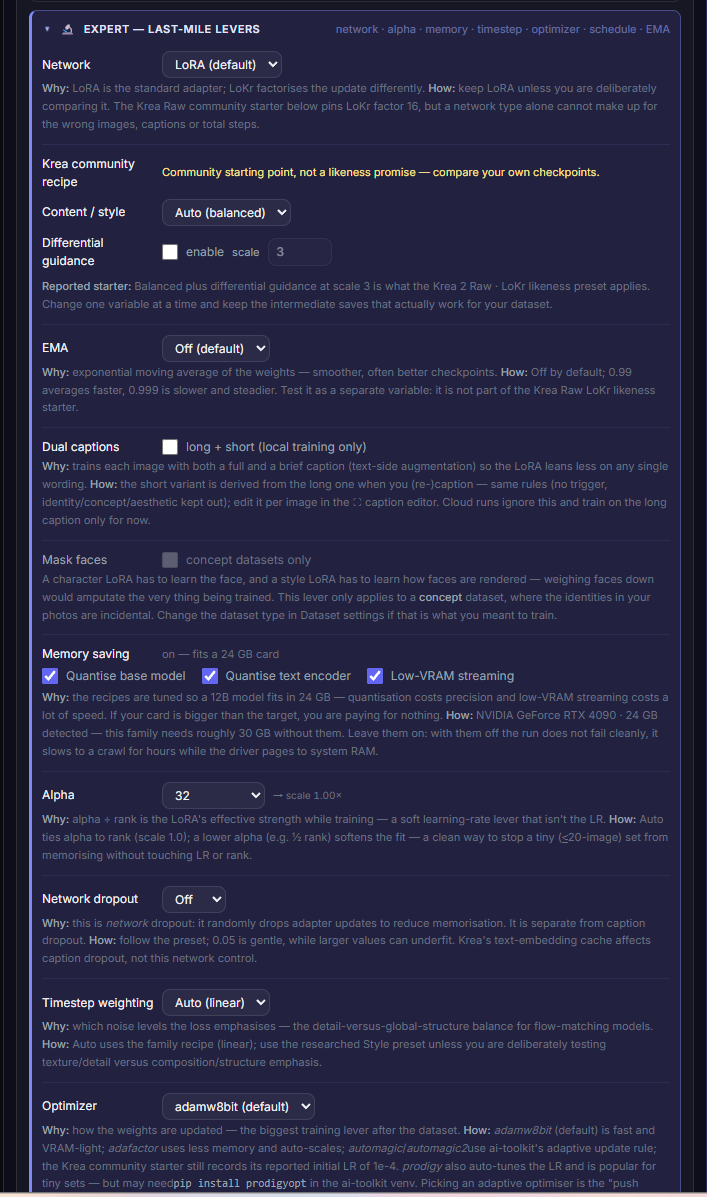
- Memory saving, in the training panel's expert options, holds three switches: Quantise base model, Quantise text encoder and Low-VRAM loading. They are on by default for Z-Image, Krea 2, FLUX.1, FLUX.2 Klein and Qwen-Image 2.1, which is what fits a 12B model on a 24 GB card, and off for SDXL and Anima. The panel reads your card and estimates the need with the switches off: about 18 GB for Z-Image, 14 GB for FLUX.2 Klein 4B, 24 GB for 9B and 30 GB for Krea 2 and FLUX.1.
- Resolution is the biggest lever: 768 only (low VRAM) cuts memory sharply and trains much faster, at some cost in fine detail.
- The shipped Krea 2 recipe peaks at about 21.6 GB on an otherwise idle 24 GB card, so anything else holding VRAM tips it over.
On Windows, the NVIDIA driver does not stop with an out-of-memory error by default: it pages to system RAM and the run slows to a crawl. Measured: Krea 2 at 1024 px on a saturated 24 GB card took about 180 s per step, against 3.5 s at 768. The usual culprit is ComfyUI keeping models loaded. LDS asks ComfyUI to unload before each local run; if a run still crawls, stop it, press Free memory in the top-bar readout or close ComfyUI, then relaunch.
- The Cloud training plugin rents a GPU per run on vast.ai with your own API key, billed by vast.ai, and shows the hourly rate with an estimated duration and total (Qwen-Image 2.1 has no estimate yet). It covers Z-Image, Krea 2, FLUX.2 Klein and Qwen-Image 2.1; SDXL, FLUX.1 and Anima have no cloud lane.
- LDS itself can run on a rented RunPod GPU: the interface, Image Bank, captioning and ComfyUI generation run on the pod, but training does not, because ai-toolkit is not in the image. Training from there still goes through cloud training.
- Video LoRAs are heavier: the one finished video run, Wan 2.2 14B, filled 24 GB with CPU offload.