 LoRA Dataset Studio
 (LDS) trains with ai-toolkit and writes its training config for you: once ai-toolkit is installed and set in Settings → Local tools, you pick a recipe and start the run from the browser, with the queue and logs on the Runs page. Datasets also export as standard ZIPs of images with same-name .txt captions, so the same set can feed kohya_ss, OneTrainer or another trainer. The command line is needed once, to install ai-toolkit, which LDS does not install for you.
ai-toolkit is the training engine. LDS runs it as a command-line process, from its own folder and its own Python environment (the one with PyTorch), and starts and stops it for you. The web interface that ships inside ai-toolkit is unrelated: LDS never launches it or reads it.
From the dataset's training panel, LDS:
- builds the ai-toolkit config from the family recipe, the dataset kind and your Advanced options;
- checks images, captions, duplicates, free disk, VRAM, the base model and compatibility before the launch, then again when a queued run actually starts;
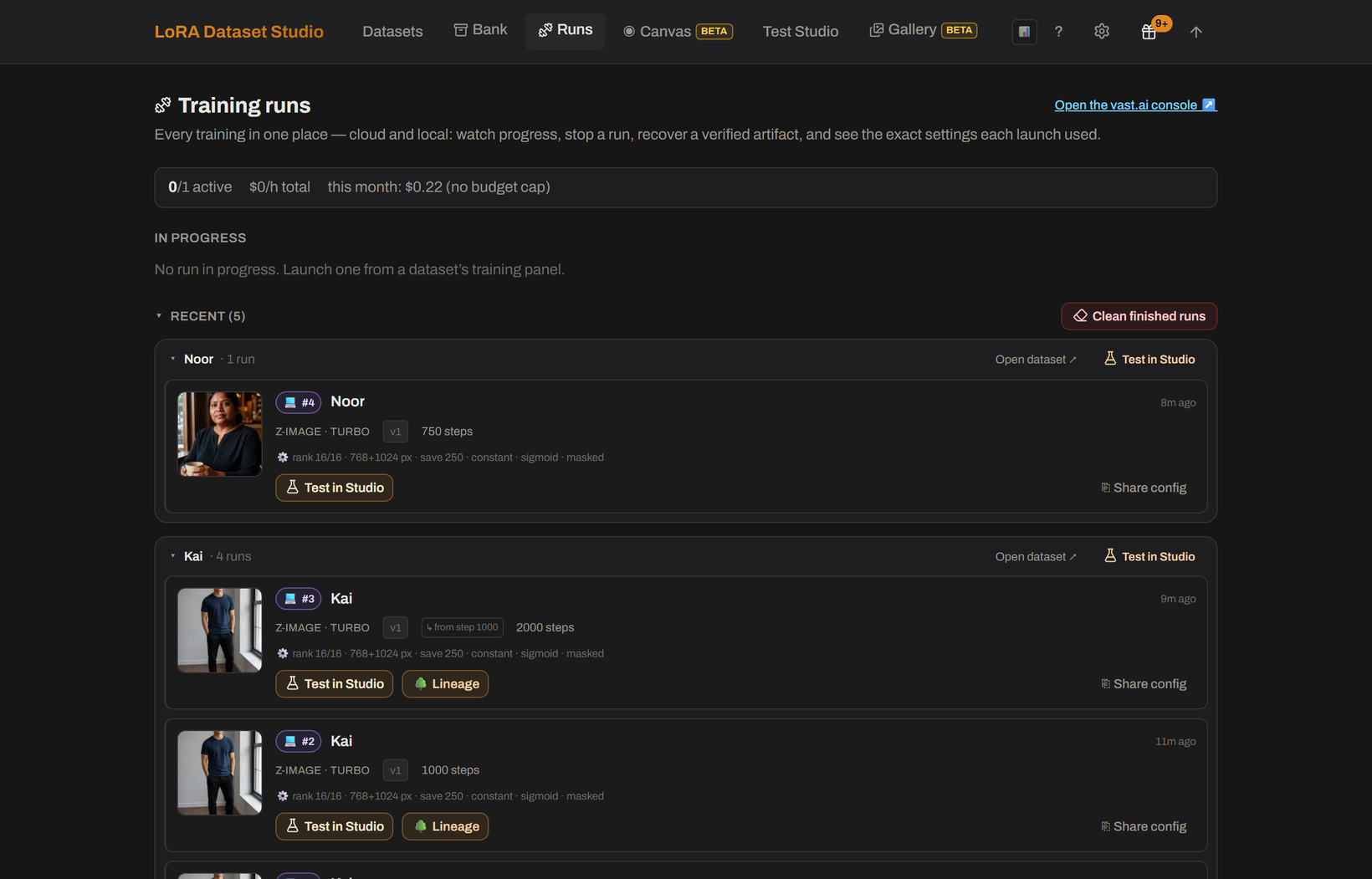
- queues local runs and lists every run, local or cloud, on the Runs page with progress, logs, samples, stop, retry, continue and download actions, plus a paste-safe Share config summary.
- Install ai-toolkit in its own folder. The getting started guide recommends Python 3.11, or ai-toolkit's own installer,
python -m manager install, which provisions a supported Python and the CUDA build of PyTorch that matches your driver. A plainpip install torchon Windows installs a CPU-only build, and training then runs on the CPU for hours without an error. - In Settings → Local tools → ai-toolkit, set the folder that contains
run.py. Fill Python interpreter only when there is novenvor.venvfolder next to it, for example with conda, uv or a portable Python. - Press Test. It checks that the interpreter can import PyTorch; a passing test unlocks training and JoyCaption captioning.
Export ZIP writes one 10_<trigger> folder of PNG images with same-name .txt captions. Captions carry the trigger word, and a reference photo, when the dataset has one, is included as an extra image captioned with the trigger alone; Style exports contain content captions only, with no trigger and no reference. The 10_ prefix follows the kohya repeat-count folder convention, and ai-toolkit ignores the folder name. Write .txt files puts the same kohya-style captions next to each kept image in the dataset folder instead.
For an architecture LDS does not support, or for experimental config keys, use ai-toolkit directly with the exported set.
- Local training needs an NVIDIA GPU with enough memory; see how much VRAM a LoRA needs.
- LDS drives ai-toolkit and no other trainer.
- The Docker images and the RunPod image do not include local ai-toolkit training: connect an ai-toolkit on the host, or train in the cloud.
- Without a suitable GPU, the Cloud training plugin rents one per run on vast.ai with your own API key, for Z-Image, Krea 2, FLUX.2 Klein and Qwen-Image 2.1. SDXL, FLUX.1 and Anima train locally only.
- If ai-toolkit uses conda, uv or the system Python and is not detected, fill the Python interpreter field; see ai-toolkit isn't detected.